

1. Root Cause:
Before we try to access the internet using the backpack, we need to configure the internet Wifi settings. But the backpack itself has a built-in Wifi hotspot, so we need to turn off the built-in Wifi hotspot of the backpack itself first, otherwise the two Wifi will cause conflicts.
2. How to fix
The steps are as follows:
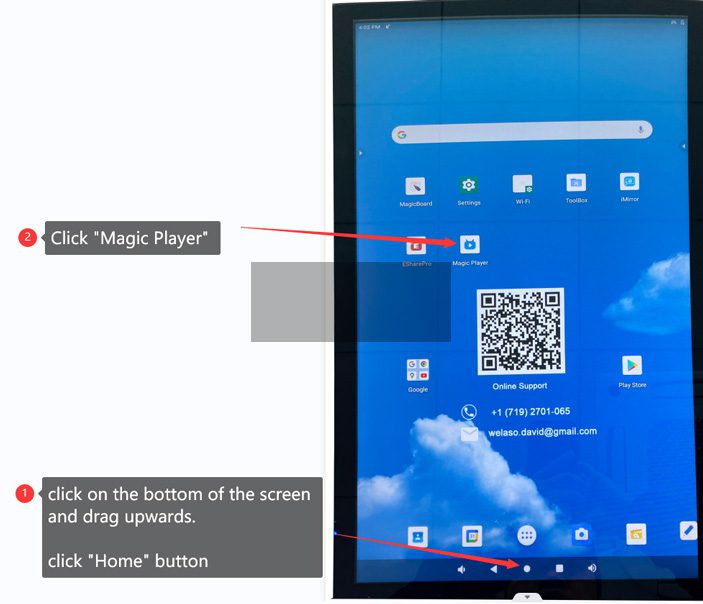
Step 1: Enter Homepage -> open “Magic Player” APP
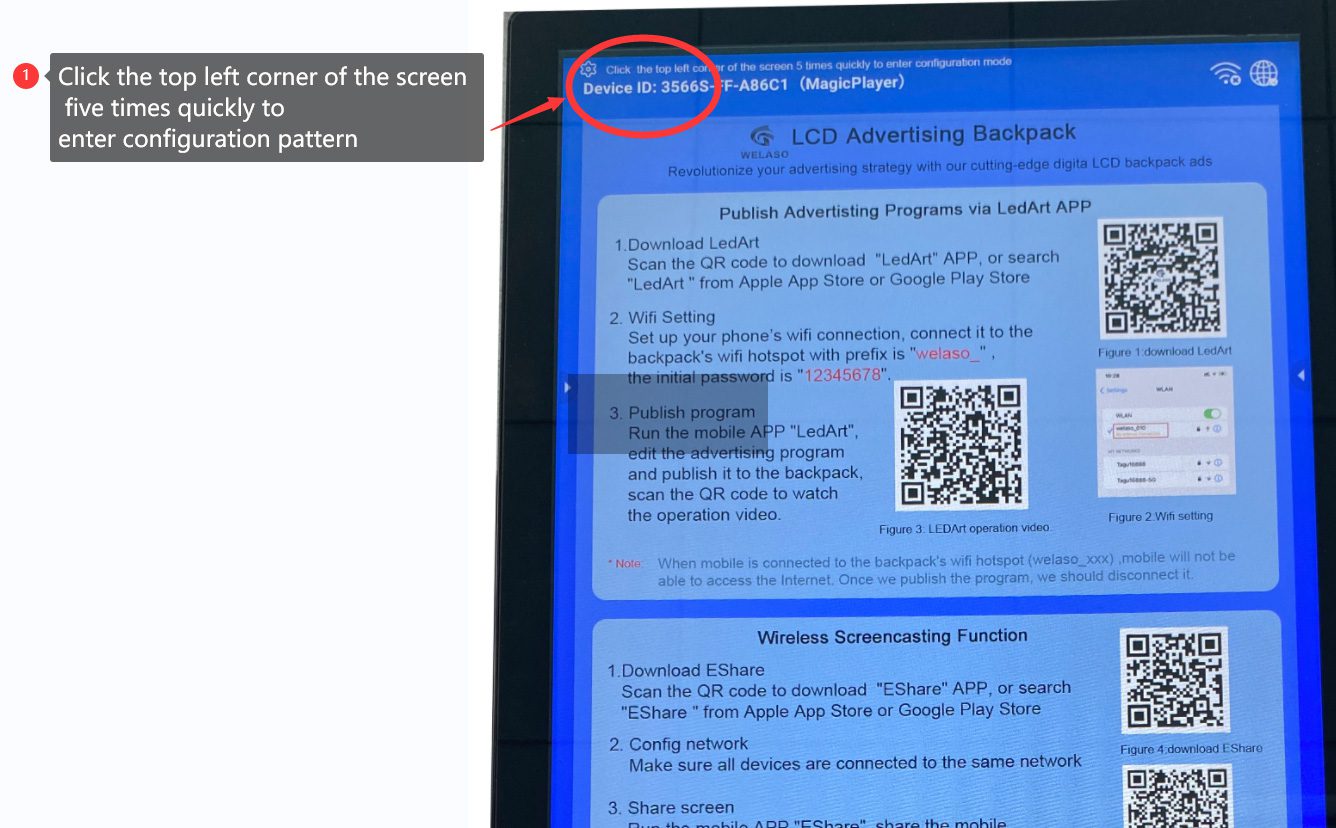
Step 2: Click the upper left corner five times to enter configuration mode
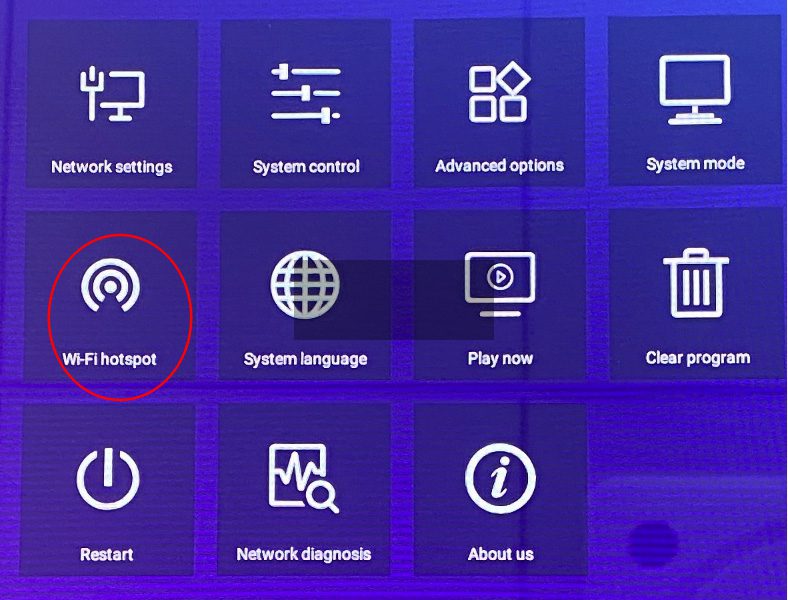
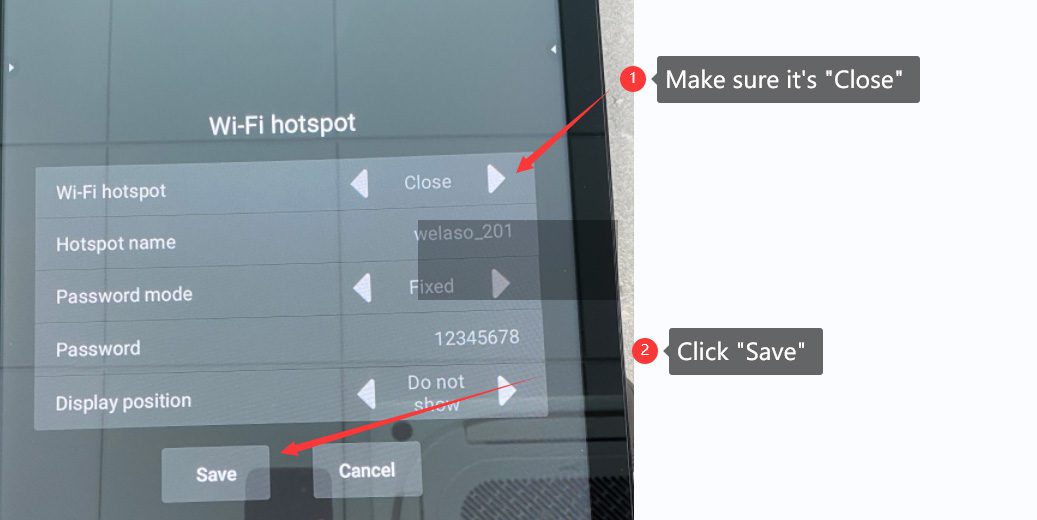
Step 3: Click “WiFi Hotspot”
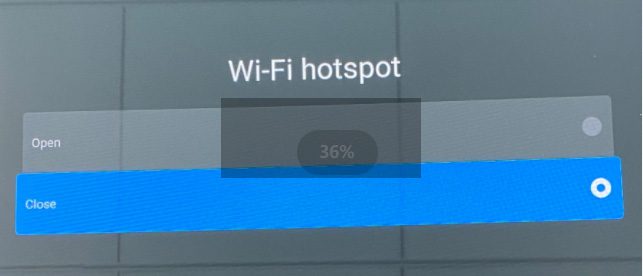
Step 4: Close the build-in WiFi hotspot of the backpack.
Step 5: Click “Save” button
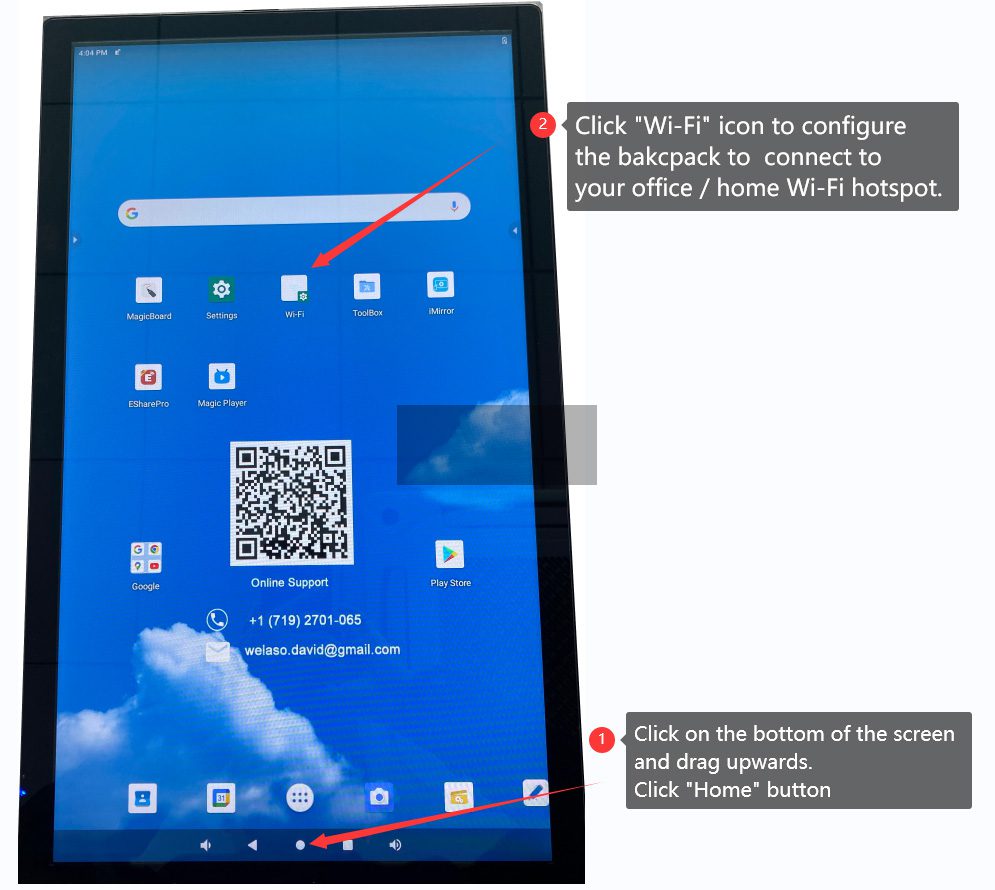
Step 6:Enter Homepage -> Click “Wi-Fi” icon to configure WiFi connection to your home/office network
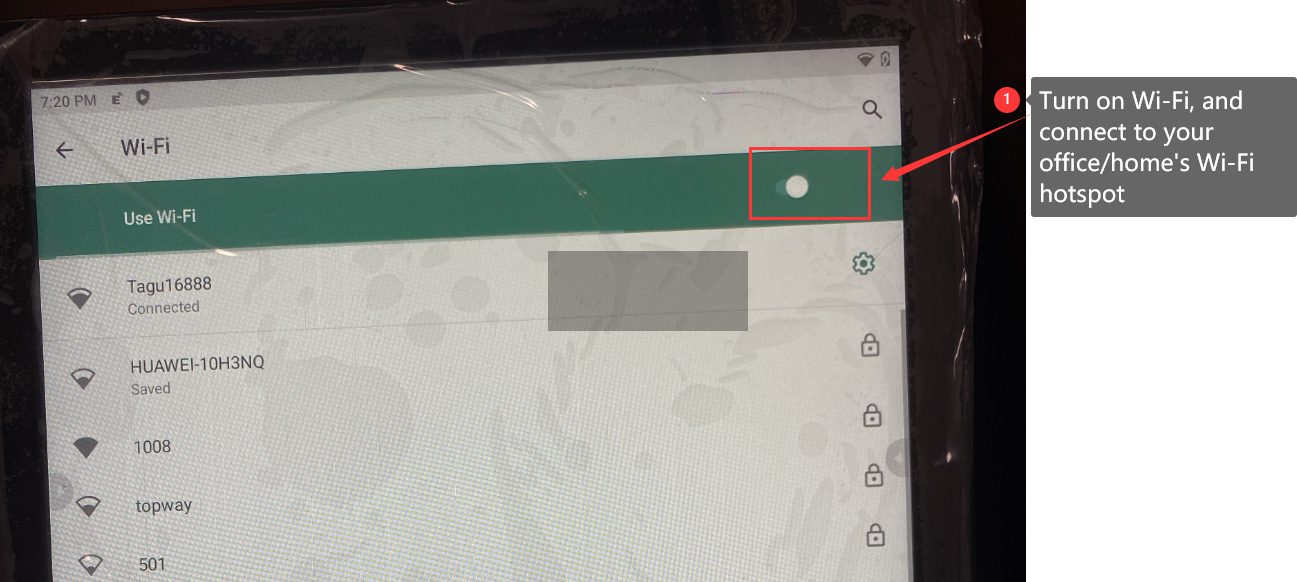
Step 7: Turn on Wi-Fi , then connect to your office/home’s WiFi hotspot.
LCD backpack can now connect to your office/home WiFi hotspot . It will be automatically disconnected anymore.
Empty is not allow
E-mail format is incorrect
Empty is not allow

EMail:welaso.david@gmail.com
Mobile: +1 719 2701065 (US)
+86 13534050491 (China)

 (China)
 (US)
(US)
 Twitter
https://twitter.com/WelasoDavid